SPSS 28: Accumulating "phantom" datasets in Windows taskbar popup
Posted by Bruce Weaver on
URL: http://spssx-discussion.165.s1.nabble.com/SPSS-28-Accumulating-phantom-datasets-in-Windows-taskbar-popup-tp5740892.html
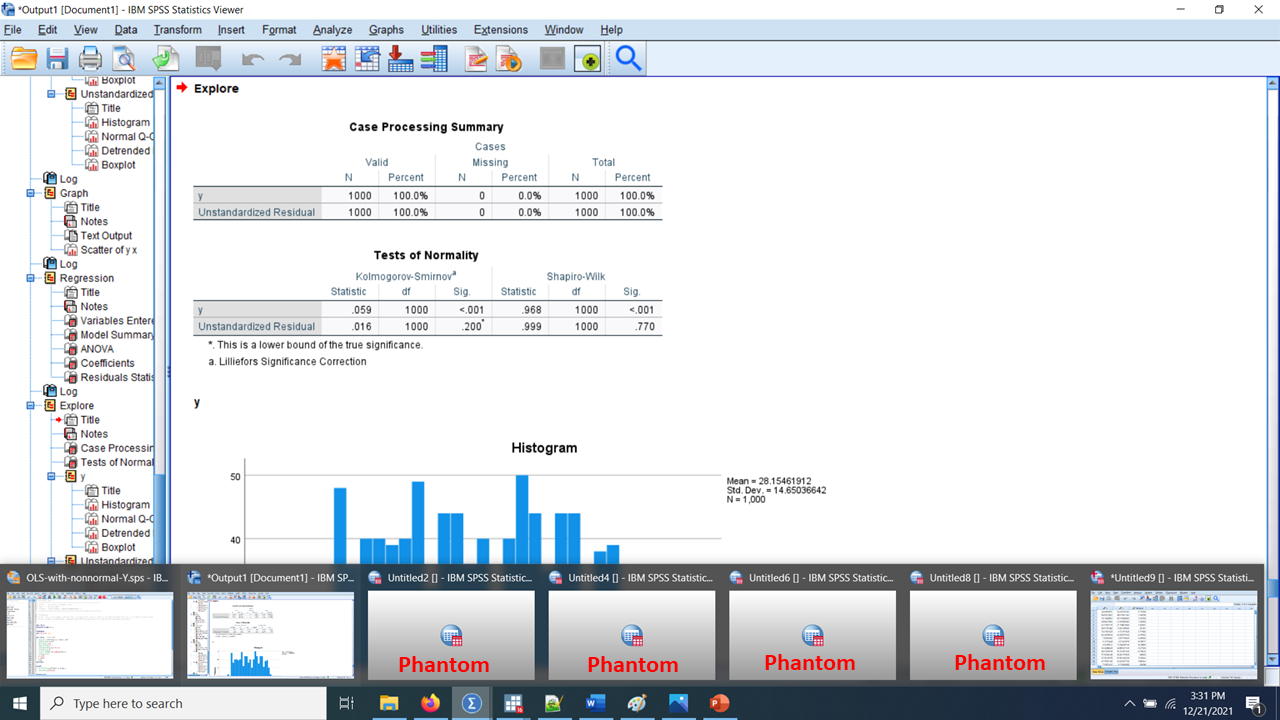
Hello everyone. I've just installed v28 (28.0.1.0) for Windows. After running a simple syntax file to check things out, I noticed that the popup from the Windows taskbar at the bottom of the screen was showing a "phantom" dataset, for want of a better term. After running the syntax a few more times (4 times in total), Windows was showing 4 phantom datasets, as in this image:
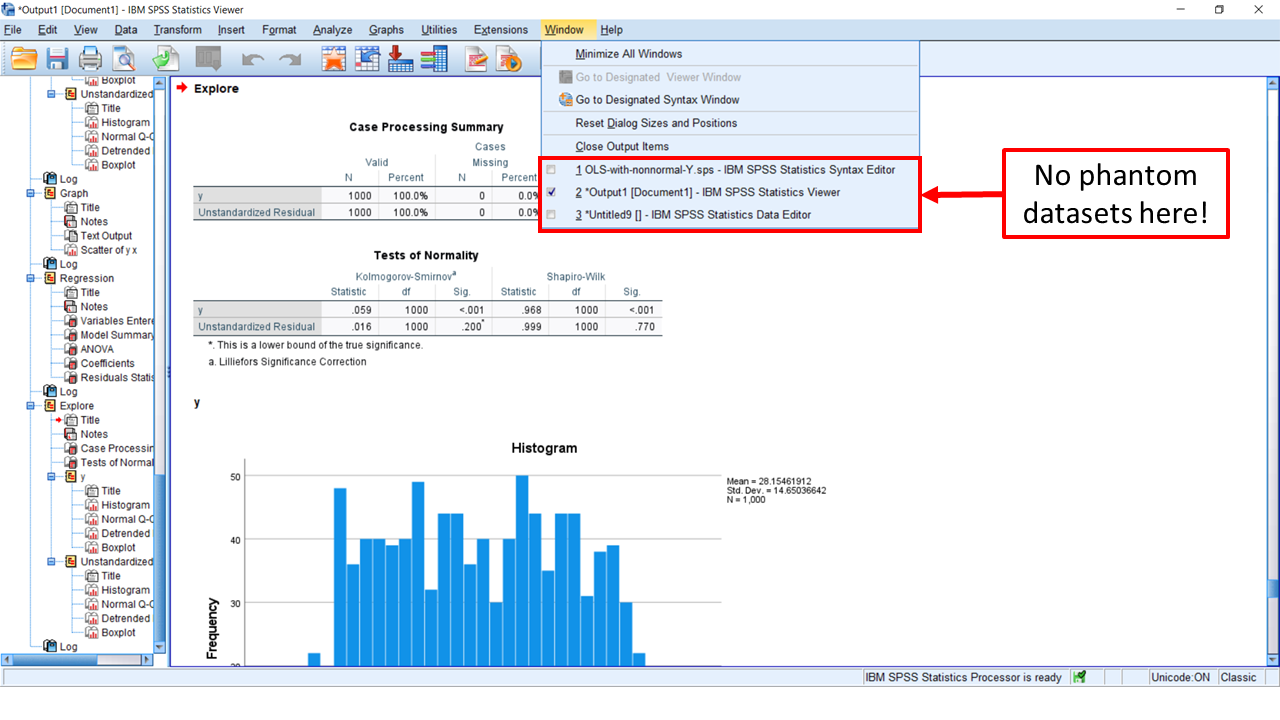
It then occurred to me to click on the Windows menu within SPSS, and it did not show any phantom datasets. All I saw listed there was the 3 files I expected to see:
Has anyone else using v28 for Windows seen these phantom datasets in the taskbar popup? Does anyone know now to prevent this from happening?
Cheers,
Bruce
PS- Just before clicking Post, I executed the syntax 4 more times (8 times in total), and now see 7 phantom datasets in the taskbar popup. Meanwhile, clicking on Windows within SPSS still shows only the syntax window, the data window and the output window.
URL: http://spssx-discussion.165.s1.nabble.com/SPSS-28-Accumulating-phantom-datasets-in-Windows-taskbar-popup-tp5740892.html
Hello everyone. I've just installed v28 (28.0.1.0) for Windows. After running a simple syntax file to check things out, I noticed that the popup from the Windows taskbar at the bottom of the screen was showing a "phantom" dataset, for want of a better term. After running the syntax a few more times (4 times in total), Windows was showing 4 phantom datasets, as in this image:
It then occurred to me to click on the Windows menu within SPSS, and it did not show any phantom datasets. All I saw listed there was the 3 files I expected to see:
Has anyone else using v28 for Windows seen these phantom datasets in the taskbar popup? Does anyone know now to prevent this from happening?
Cheers,
Bruce
PS- Just before clicking Post, I executed the syntax 4 more times (8 times in total), and now see 7 phantom datasets in the taskbar popup. Meanwhile, clicking on Windows within SPSS still shows only the syntax window, the data window and the output window.
--
Bruce Weaver
bweaver@lakeheadu.ca
http://sites.google.com/a/lakeheadu.ca/bweaver/
"When all else fails, RTFM."
PLEASE NOTE THE FOLLOWING:
1. My Hotmail account is not monitored regularly. To send me an e-mail, please use the address shown above.
2. The SPSSX Discussion forum on Nabble is no longer linked to the SPSSX-L listserv administered by UGA (https://listserv.uga.edu/).
Bruce Weaver
bweaver@lakeheadu.ca
http://sites.google.com/a/lakeheadu.ca/bweaver/
"When all else fails, RTFM."
PLEASE NOTE THE FOLLOWING:
1. My Hotmail account is not monitored regularly. To send me an e-mail, please use the address shown above.
2. The SPSSX Discussion forum on Nabble is no longer linked to the SPSSX-L listserv administered by UGA (https://listserv.uga.edu/).
| Free forum by Nabble | Edit this page |